Edit Administrator Permissions
Click the
Show Details Buttonfor the member whose permissions you want to edit.
Click the
Edit Administrator Permissions Button.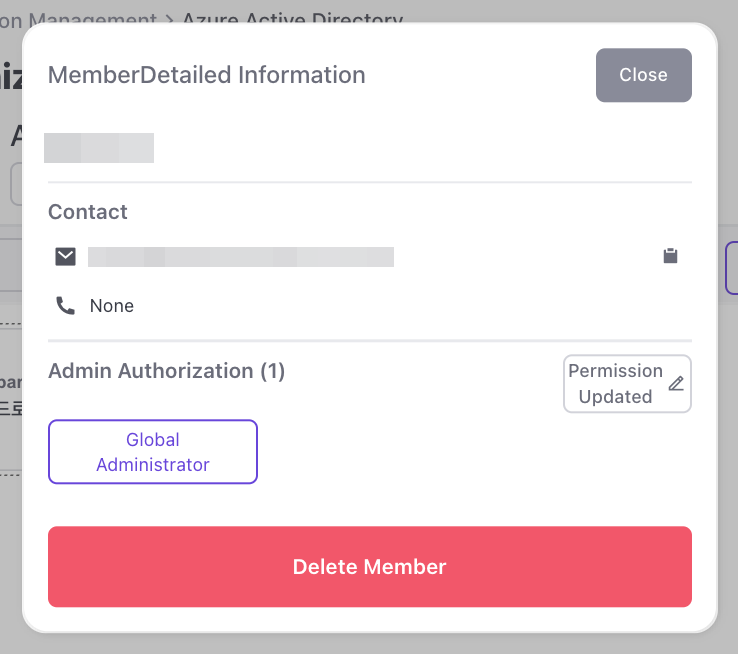
Add Permissions: Select the permissions you want to add from the full list and click the
arrow iconto move them to the right.
Remove Permissions: Select the permissions you want to remove from the current permissions and click theDelete Buttonat the top right.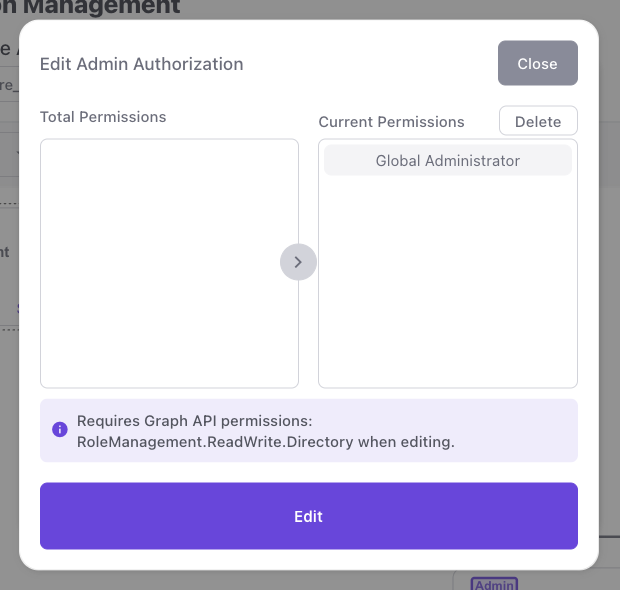
note
When modifying permissions, Graph API: RoleManagement.ReadWrite.Directory permission.
info
Types of Permissions: Global Reader, Authentication Policy Administrator, Security Operator, Directory Readers, Helpdesk Administrator, Security Administrator, Global Administrator, Privileged Role Administrator , Security Reader, Azure AD Joined Device Local Administrator